A new kind of reminder

Norte

Your direction. |

The one phrase that drives you forward — on your watch, your lock screen, and your home screen. Always in sight. Always in mind.

Request TestFlight access Coming soon · Limited beta spots
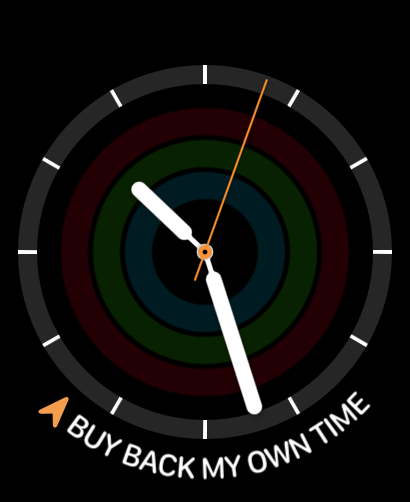
Apple Watch Norte complication
Norte iPhone app
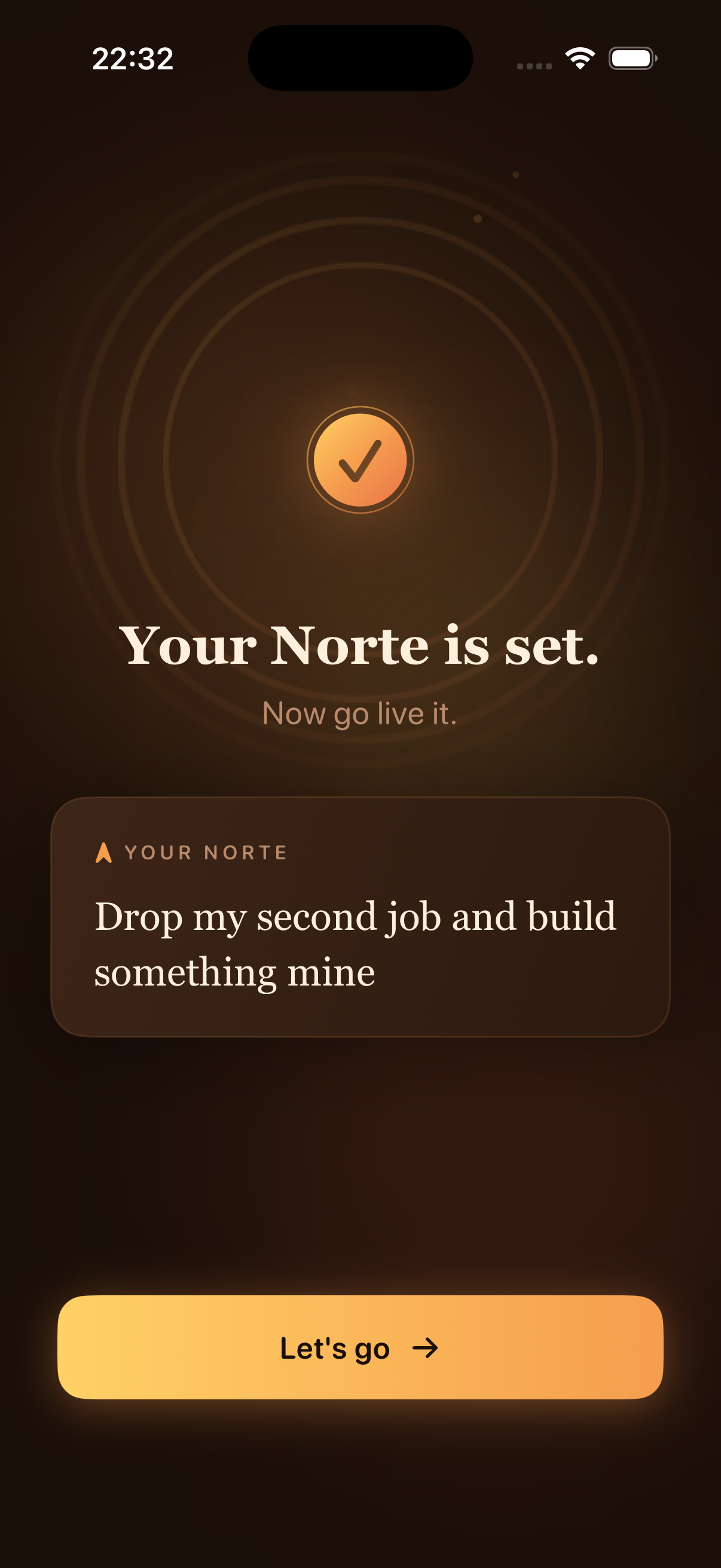
Build something mine
Buy back my own time
More time with the people I love
Be a present father
Stay present
Become financially free
Write every single day
Build something that matters
Live without regret
Build something mine
Buy back my own time
More time with the people I love
Be a present father
Stay present
Become financially free
Write every single day
Build something that matters
Live without regret
01

The one thing.

Not a goal. Not a task. The reason behind every decision you make. Most people have ten motivations. Norte asks you to distill them to one.

02

On your wrist.

Every time you raise your wrist to check the time, it's waiting. A quiet, wordless signal that points you back to what actually matters.

03

Every morning.

A single 8 AM notification. Not a push alert, not a guilt trip. Just your own words, waiting on your screen when you wake up.

04

Always in sight.

Home screen widget. Lock screen widget. Watch complication. Norte lives where you already look — not in an app you need to remember to open.

Try it right now

What's your Norte?

Type the phrase that's been living in the back of your mind — the reason you get up, the thing you're working toward. See it exactly as it'll appear on your phone.

50 characters left
Or try one of these
NORTE
Your why goes here
1 day
checked in
today
"You already know your why.
You just keep forgetting it."
— The premise behind Norte

The morning starts clear

You wake up with direction. A quiet intention. Today is about something real.

Then the noise arrives

Slack, news, someone else's urgency. By noon you're reacting. By evening you've forgotten what the day was actually for.

Norte sits in between

On your lock screen. On your wrist. In your own words. A hundred quiet moments a day — your direction, always visible.

How it works

Set it in 30 seconds.
Live it every day.

01
Step one

Download

Once Norte launches, open the App Store and tap download. Takes under a minute — no account, no setup, no friction.

02
Step two

Write your why

What are you working toward? Not a smart goal. Not a KPI. The raw honest reason behind everything. Write that.

03
Step three

Set your Norte

Lock it in. Your Norte is saved — no account, no cloud, no sync required. It lives on your device, private and yours.

04
Step four

Add the widgets

Home screen, lock screen, and watch face — each one takes under a minute. Full setup instructions are inside the app.

05
Step five

Check in daily

Each day, one tap. Am I living this today? Build your streak. Watch your journey take shape — one honest day at a time.

drag to explore

Always in sight

Your Norte, everywhere you look.

On your wrist.

The Norte complication lives on your watch face. Every time you raise your wrist, your why is waiting — a silent compass pointing you back to what matters most.

Works on any watchOS 10+ face
Apple Watch Norte

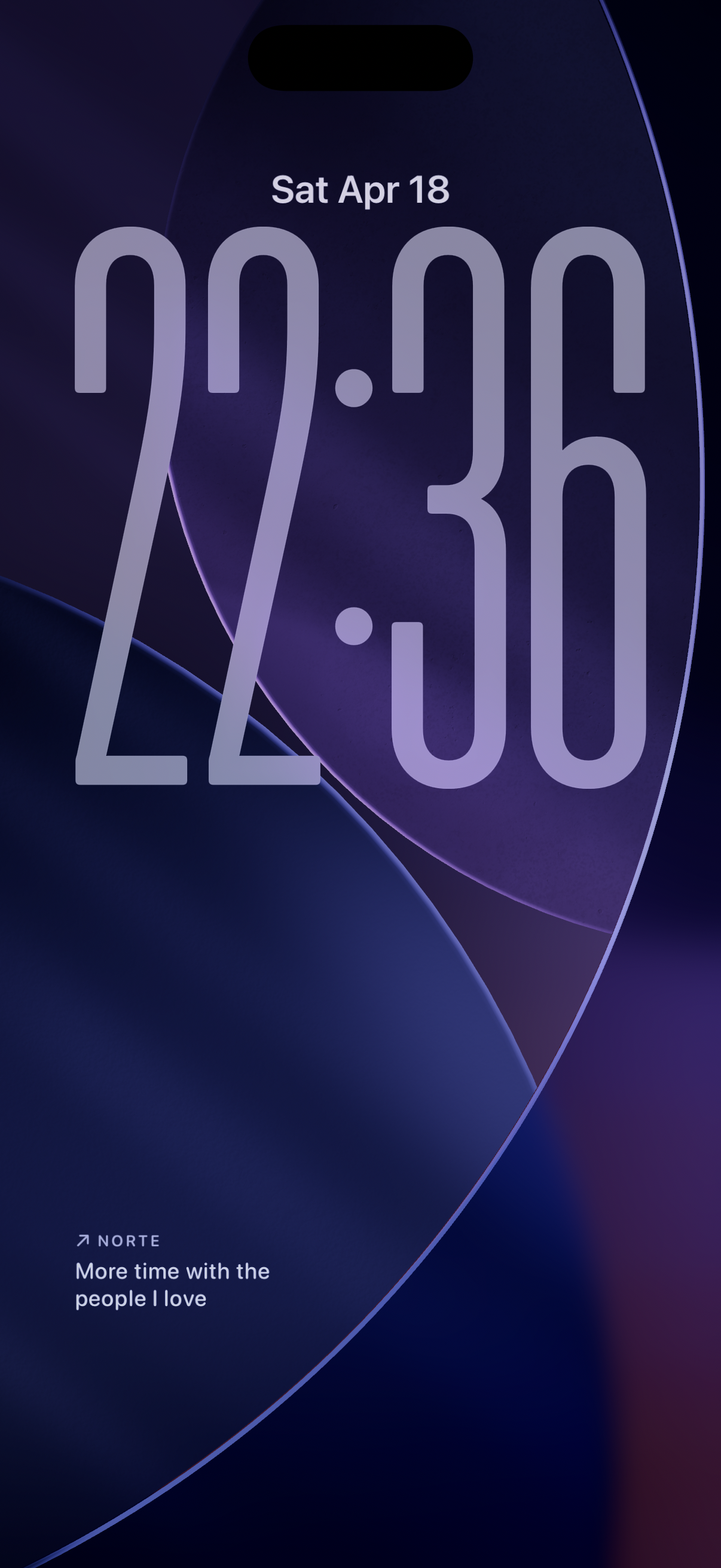
On your lock screen.

Every time you pick up your phone — to check a notification, the time, anything — your Norte is visible below the clock. Before the scroll. Before the noise.

iOS 17+ lock screen widget
iPhone Lock Screen Norte

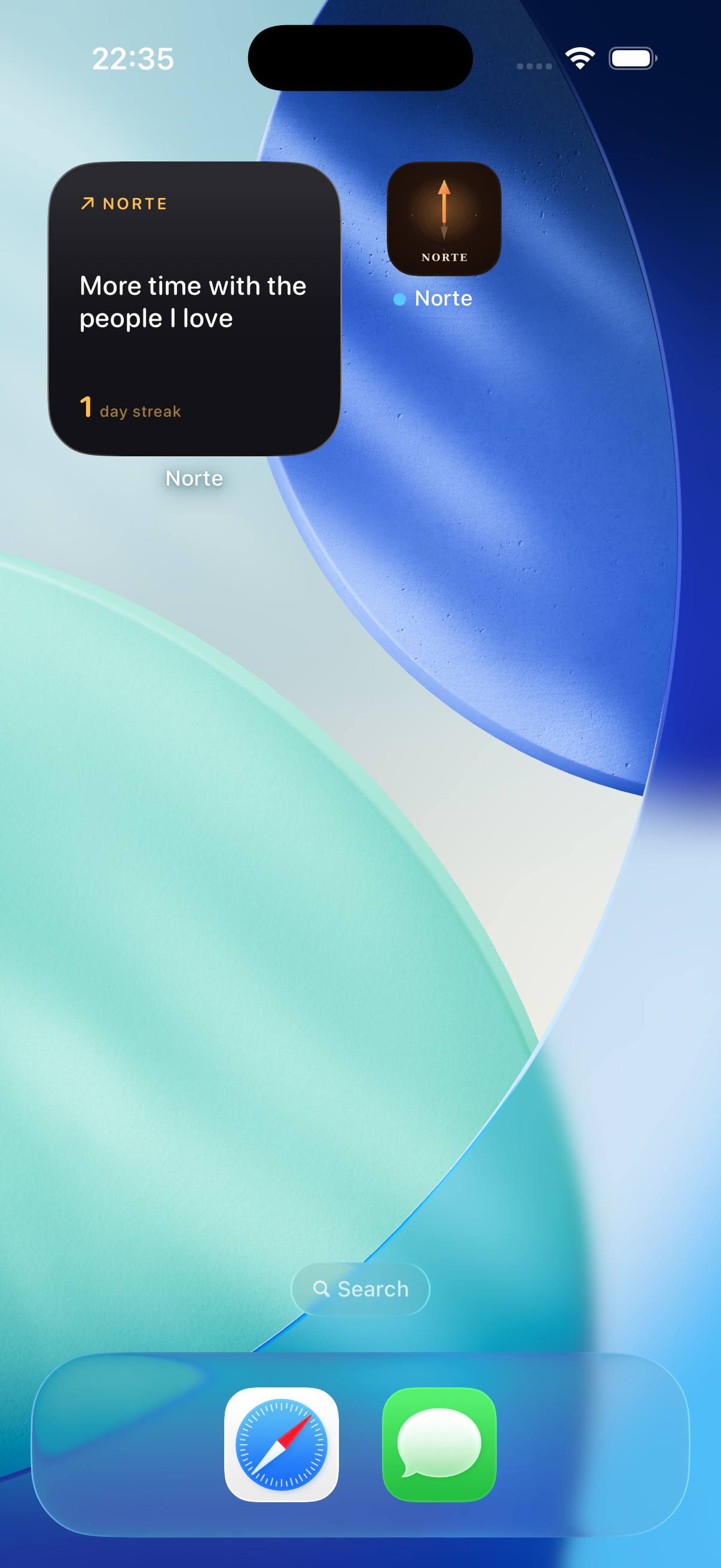
On your home screen.

A dedicated widget showing your Norte, your current streak, and your daily check-in. Tap to mark today on track. The one widget worth opening to.

Small, medium, and large sizes
iPhone Home Screen Norte
Quick setup

Add Norte to your world.

Three places. Under a minute each. Open the one you want to set up first.

  1. Long-press your Watch face to enter edit mode
  2. Tap Edit, then swipe to the Complications screen
  3. Tap any slot and choose Norte from the list
  4. Press the Digital Crown to save. Your why is now on your wrist.
  1. Long-press your Lock Screen to enter customize mode
  2. Tap Customize, then select Lock Screen
  3. Tap the widget area below the time, then tap +
  4. Find Norte and add it. Visible every time you glance.
  1. Long-press any empty space on your Home Screen
  2. Tap the + icon in the top-left corner
  3. Search for Norte and choose your widget size
  4. Tap Add Widget. Drag it to the spot that feels right.
Why $2.99

Pay once.
Yours forever.

Norte is a tool, not a trap. No subscription. No upsells. No ads. No data harvesting. A fair one-time price for something that stays with you.

01

No subscription

Pay $2.99 once. Own it forever. No recurring billing, ever.

02

Fully private

Your Norte never leaves your device. No account. No cloud. No one reads it.

03

No noise

One optional morning notification. No feed. No guilt. No dark patterns.

04

Built by one

An indie developer who needed this himself. Every dollar supports the work.

Early Access

Be among the first.

Norte is launching soon. Before it goes public, I'm inviting a small group of early users onto TestFlight — people who'll shape the final build with honest feedback.

If you want in, send me an email with the iCloud address linked to your iPhone. That's all I need. I'll read every message personally.

Include in your email
  • Your iCloud email — the one linked to your iPhone (required for TestFlight)
  • A line about your Norte — optional, but I'd love to know what drives you

Limited spots. First come, first invited.

"I built Norte because I kept losing sight of my own why. I wanted something that couldn't be closed, minimized, or ignored."

— The maker of Norte

Pricing

One purpose.
One price.

$2.99

One-time purchase. Works on iPhone and Apple Watch.
No account. No subscription. Ever.

Lifetime access No subscription Fully private Free updates

iPhone iOS 17+ · Apple Watch watchOS 10+